SSS Welcoming System
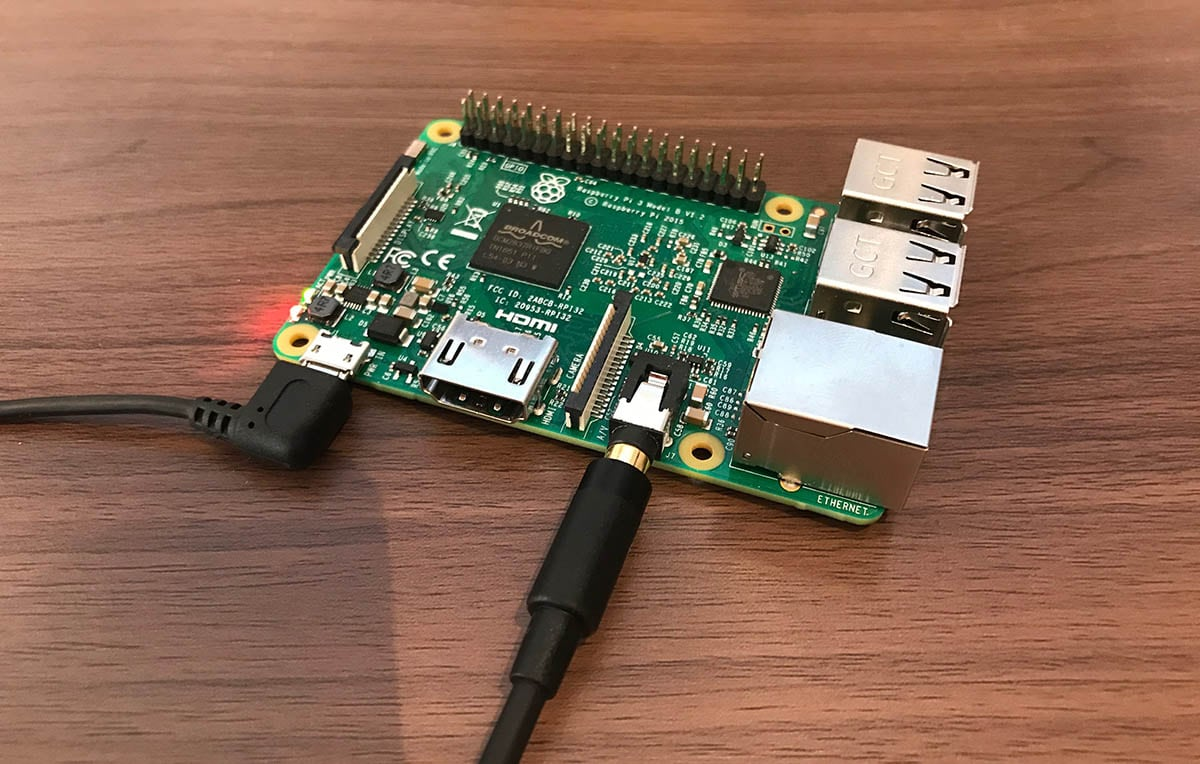


Face recognition on Raspberry Pi that greets customers with Norwegian text-to-speech. Team project at USN, grade B.
SSS Welcoming System is a small box with a camera, a mini PC and a speaker that recognizes returning customers and says hi in Norwegian when they walk in. It was our IoT course at USN.
Problem
SSS3000R, an IoT course at USN, required us to build a system on a Raspberry Pi that read from a sensor and did something useful with the data. We had to come up with the case ourselves. We landed on a retail scenario: a camera by the door that recognizes returning customers and greets them by name, so a staff member doesn't have to stand ready at the entrance.
Solution
A Python system running on a Raspberry Pi 4 with a camera module and a speaker. libcamera-vid runs as a subprocess and dumps JPGs continuously into /run/shm/ (tmpfs in RAM, faster than disk). The main loop reads the most recent image and passes it to face_recognition, a Python library built on dlib and deep learning. OpenCV draws a red rectangle and the name over the face, and gTTS generates the greeting "velkommen kjære kunde [name]" which plays through pydub. Known people are .jpg files in the images/ folder, and the filename is used as the name in the greeting. We were three on the team from USN, and worked together on most of it.
Decisions and reflection
Decisions I made
These were team decisions. I was part of all of them, so I use "we" where that fits.
Two files instead of one flat script. A class, FaceRecognizer, for the recognition itself, and a main loop for camera, drawing, and sound. The OOP split meant the recognition library could be swapped out without touching the camera side.
The image is scaled down to 25 % before recognition. Full resolution (720x540) was too slow for real-time on the Pi. We traded a bit of precision for speed, and the whole difference sat in one line: frame_resizing = 0.25.
libcamera-vid as a subprocess, not picamera2. We tried the Python route first and burned too much time on build errors before turning around. A subprocess plus shared memory gave us low latency without fighting Python packages that are hard to build on the Pi.
gTTS over an offline TTS like espeak. Norwegian speech from gTTS sounds noticeably more natural. The downside is that it needs internet at runtime, and that is a known weakness.
A single last_greeted string to keep the same person from being greeted in every frame. The alternative would have been spam. The way we solved it, both get greeted again if two people take turns in front of the camera.
What I learned
The gTTS call sits inside a try / except Exception: pass. If the Pi loses internet during a run, the face shows up on screen with a name, but the audio goes silent without any warning. Silent failures are something I would avoid in code I write today, at minimum a log line to stdout.
If libcamera-vid itself crashes, the main loop does not notice and just keeps looking for images in an empty folder. A subprocess health check would have caught it, but we ran out of semester.
The variable names are a mix of Norwegian and English. Camera_start, ttrat, last_greeted. That reflects how the code grew, three people writing different pieces, and cleanup never being prioritized. The grade was B. I would clean the variable names before submitting today.
Technology Stack
- Language:Python
- Computer Vision:OpenCV, face_recognition
- Speech synthesis:gTTS, pydub
- Hardware:Raspberry Pi, libcamera-vid
- Architecture:OOP
Key Features
- Real-time face recognition
Identifies known faces in the camera live stream.
- Norwegian speech synthesis
Greets each person by name in Norwegian via gTTS.
- Embedded deployment
Runs standalone on Raspberry Pi without external server.


