Sulaiman Bil Service

Booking system for a real auto repair shop, built in a team of four. My part was the entire admin panel.
Sulaiman Bil Service is a small auto repair shop in Hønefoss that took bookings by phone. We built them a website with online booking and an admin panel so they could take orders without picking up the receiver.
Problem
Sulaiman Bil Service is an auto repair shop that took bookings over the phone. That meant no log of who had booked what, no overview for the workshop, and occasionally the same time slot promised to two people. The owner wanted something online.
Solution
Four of us built the system as a bachelor project (BOP3000, USN, 2024). The stack is PHP, MySQL and Bootstrap, with Flatpickr for the calendar. We managed the database through phpMyAdmin. There I created the tables, set up ENUM for service types, and used the export feature to pull available time slots as JSON for the booking calendar to read. Weekends are blocked and opening hours start at 06:00.
The booking flow and contact form were built by the rest of the team. My part was the entire admin panel, the admin/ folder: login, registration, dashboard and full CRUD on bookings.
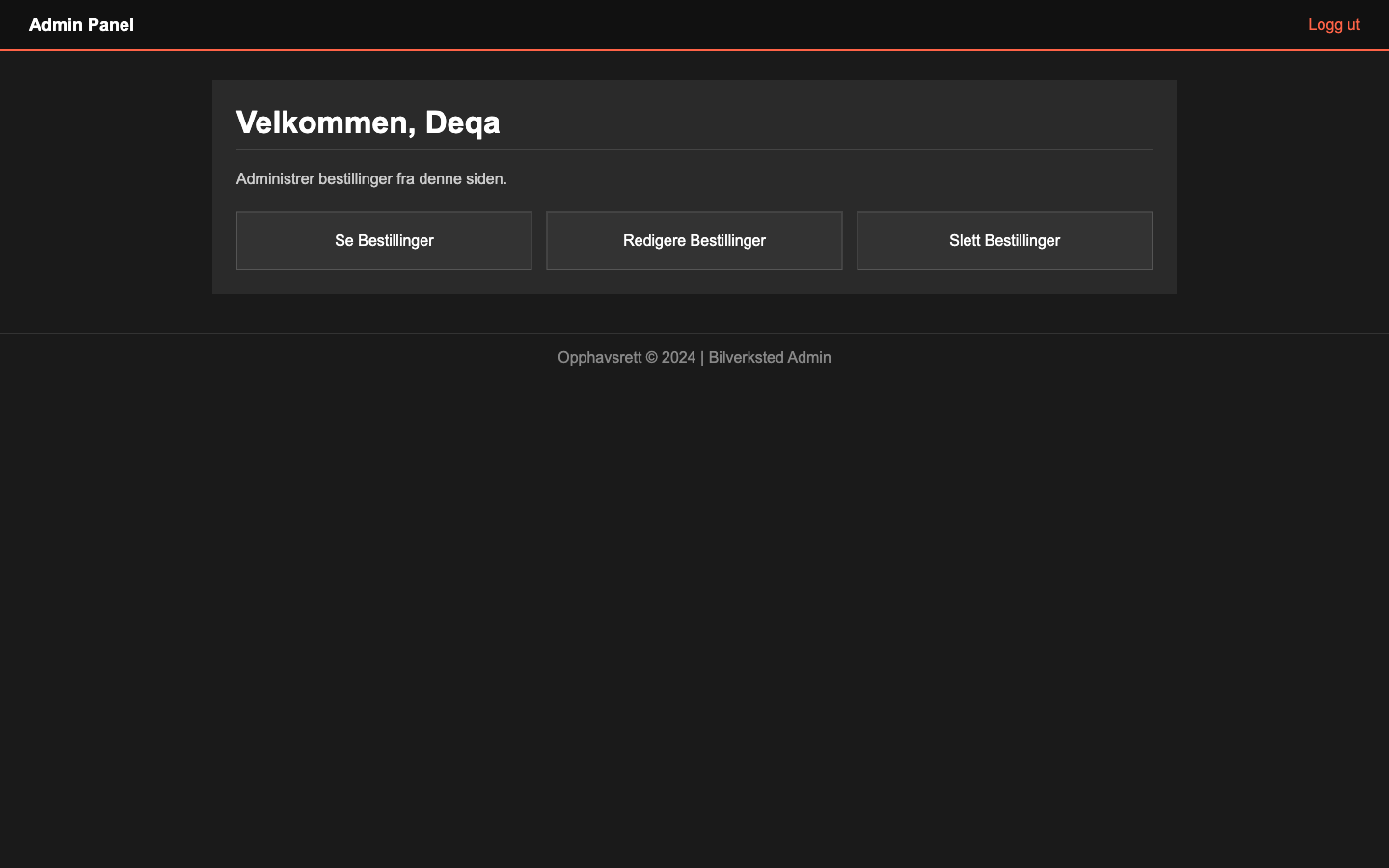
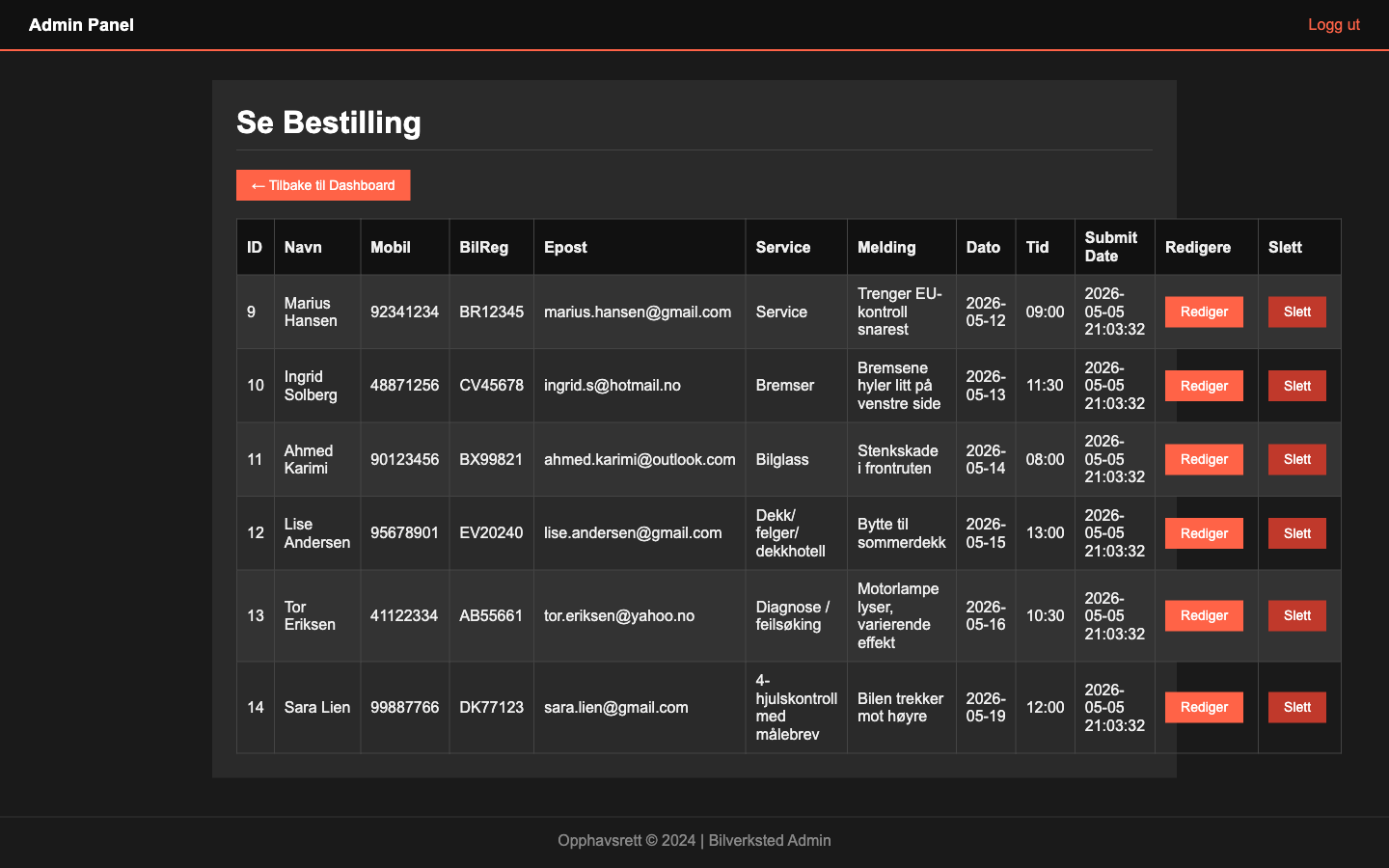
The admin logs in, sees all bookings in a table and can edit or delete them. Every page in the admin folder starts with a check that the session exists, otherwise you get bounced back to login. Fine as far as it goes, but it assumes the session itself is safe. More on that below.
Decisions and reflection
Decisions I made
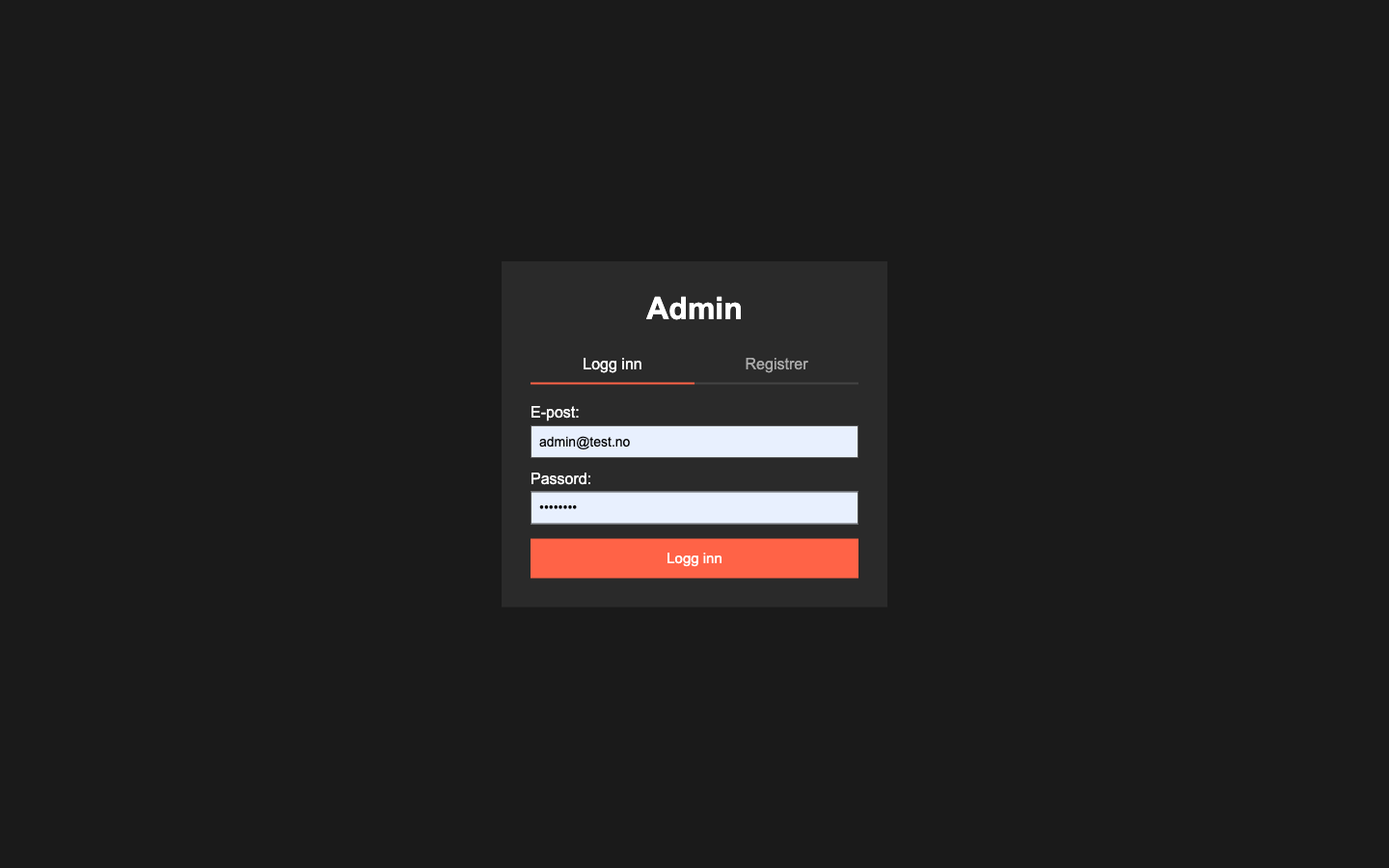
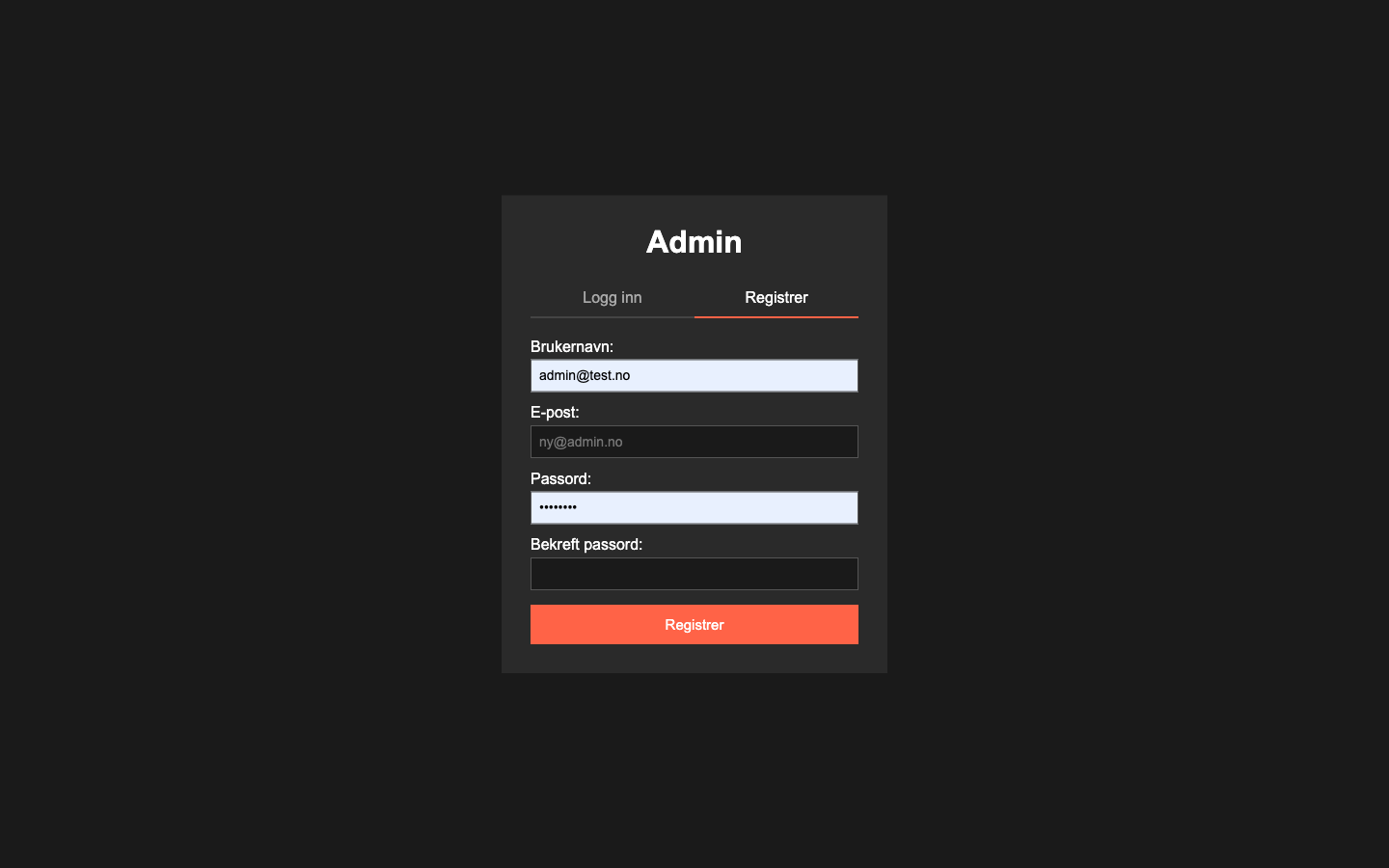
Login and register in one file with tabs. I did not want two nearly identical pages. The solution was a URL parameter (?mode=login or ?mode=register), and the same file renders the right form based on it. I whitelisted the value at the top, so if anyone tampers with the URL it falls back to login. The admin is one user who knows where the buttons are, and fewer files makes maintenance easier.
bcrypt over simpler hashing. The users here are admin accounts, so it is not a big target. But MD5 and SHA1 are broken for passwords, and there is no reason to take shortcuts on storage. PHP has password_hash and password_verify built in, so I do not have to handle salt manually.
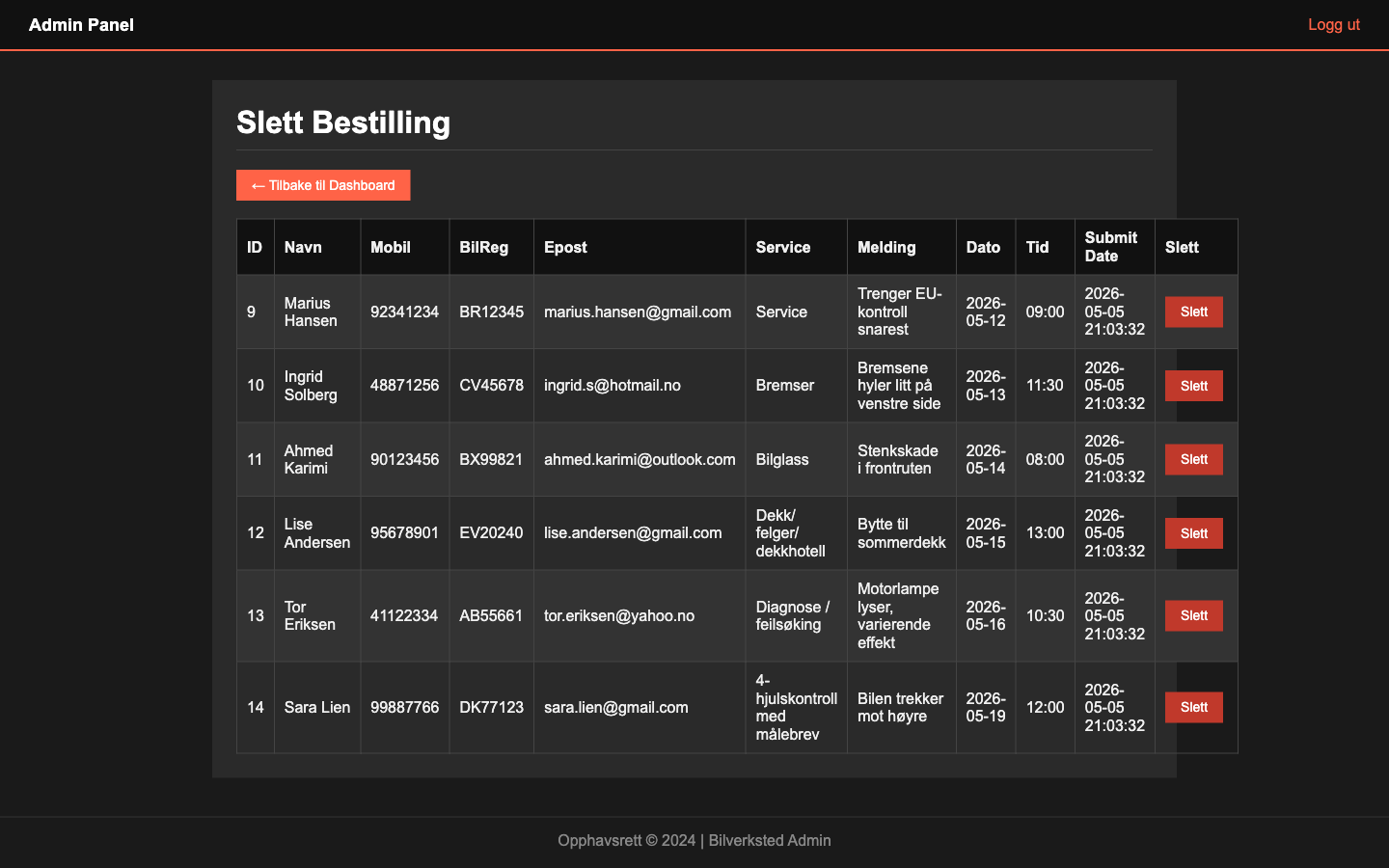
CSRF token on deletion. Deletion is the most destructive operation in the panel. If the admin is logged in and opens a hostile page in another tab, that page can in principle send a POST to my delete endpoint and remove a booking without the admin noticing. The fix was a random token stored in the session, embedded as a hidden field in every delete form and compared server-side before the deletion runs. The comparison uses a constant-time function, so no one can guess the token character by character by measuring response time. Strictly more than a bachelor project needs. I wanted to learn the right pattern.
Prepared statements on every query. Parameterised SQL queries, where values are sent separately from the query and therefore cannot be interpreted as code. That removes SQL injection as an attack surface. A bit more code per query, but it becomes routine quickly.
Custom dark stylesheet (admin.css). I started by reusing the customer site's light Bootstrap theme, but the admin tables have many rows and columns with small data cells. After ten minutes it was tiring to look at. So admin got its own dark stylesheet, and the two parts of the site address completely different users anyway.
What I learned
The CSRF token landed on delete because that was the visible risk I thought of first. Deletion feels dangerous, edit feels safe. But edit changes state too. If someone tricks the admin into sending a POST, they can just as easily overwrite a booking as delete it. Today I would put CSRF on every endpoint that changes data in the database, not just delete.
The session is the other thing. I check that the admin is logged in on every page, but I never regenerate the session ID after login, and there is no timeout. That means if someone manages to plant a session ID in the browser before the admin logs in, that ID is still valid afterwards. There should have been a regenerate right after the password is verified. That is two lines of code I forgot.
The architecture is the biggest one. We split the code into three parallel PHP modules (admin/, kontaktskjema/, hovedside/) each with its own config.php, plus one more at the root. That is four places the same database settings live. Change the DB password and you have to remember all four. One codebase with a router and a PSR-4 autoloader would have solved it. The config should also have been in environment variables, not in a file per folder. Not pretty, but the app runs.
Technology Stack
- Frontend:HTML, CSS, JavaScript, Bootstrap, Flatpickr
- Backend:PHP
- Database:MySQL, phpMyAdmin
- Security:bcrypt, CSRF token, prepared statements
- Tools:Git, Scrum
Key Features
- Online booking
Customers book service directly online without calling. Weekends are blocked and opening hours start at 06:00.
- Admin panel with full CRUD
Login, registration, dashboard and full editing or deletion of bookings.
- CSRF-protected deletion
A random token in the session is compared on the server before destructive operations run.


