Prissammenligner
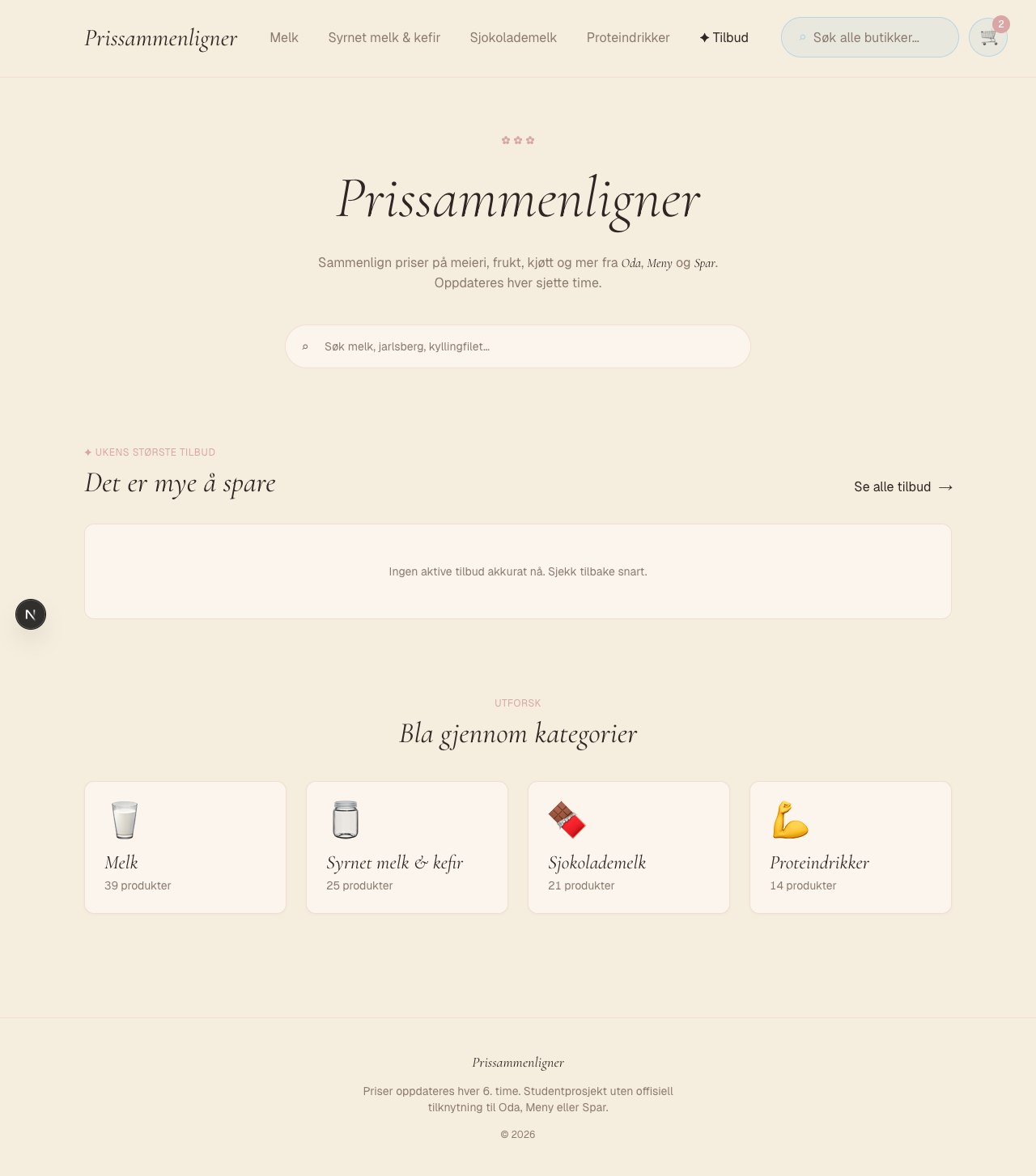
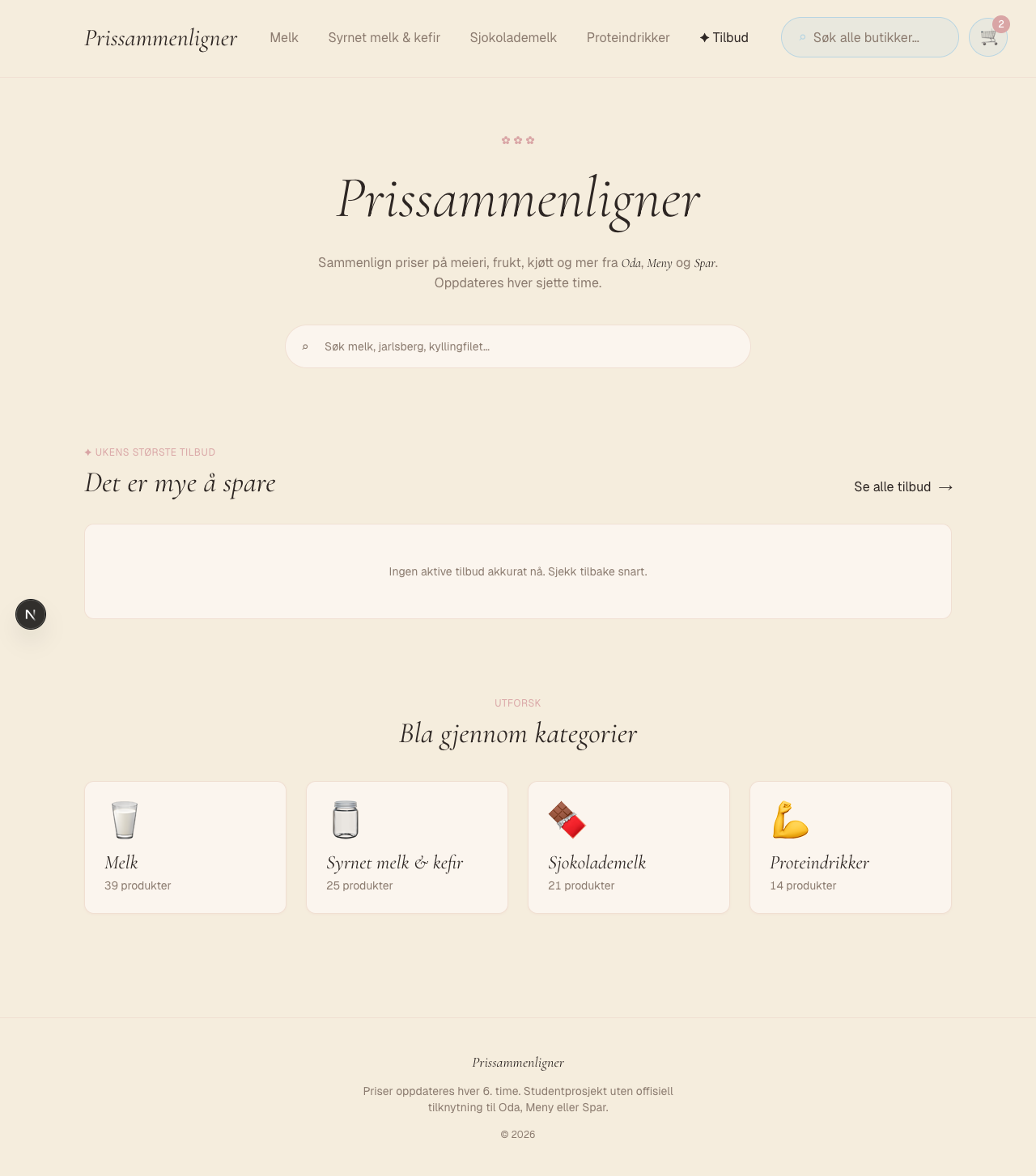
Compares dairy prices at Oda, Meny and Spar so you always know where to shop cheapest.
Prissammenligner shows you which store has the cheapest milk and dairy products right now. I built it because I work with prices every day and got tired of opening three apps to compare.
Problem
Like everyone else, I cannot remember which store has the cheapest milk and protein drinks, and end up flipping through three apps to check. And I deal with this for a living: as a price data collector at AVANTAS (Feb 2024 to now) I collect price data from stores by hand with a scanner. So prices have been on my mind a lot more than usual. I wanted to build an automated mini-version of that job for myself, and see how far I could get without the scanner.
Solution
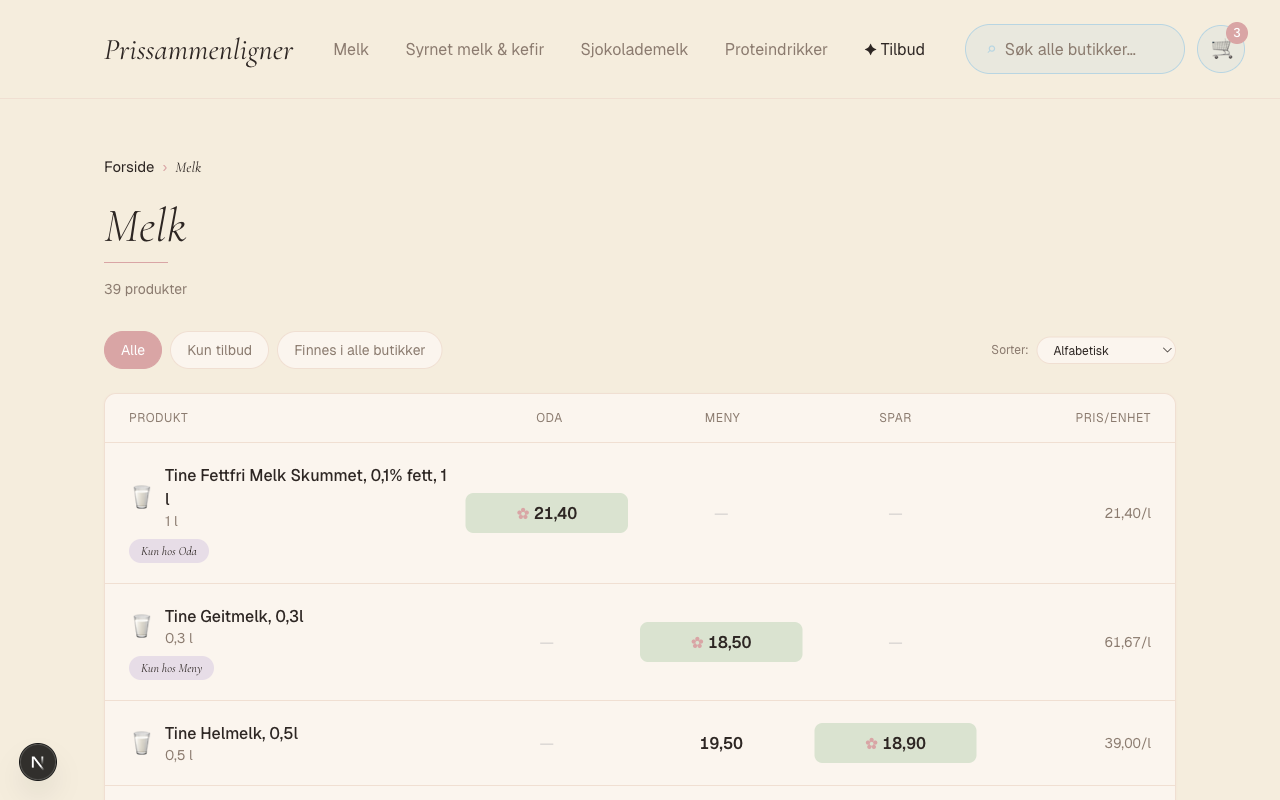
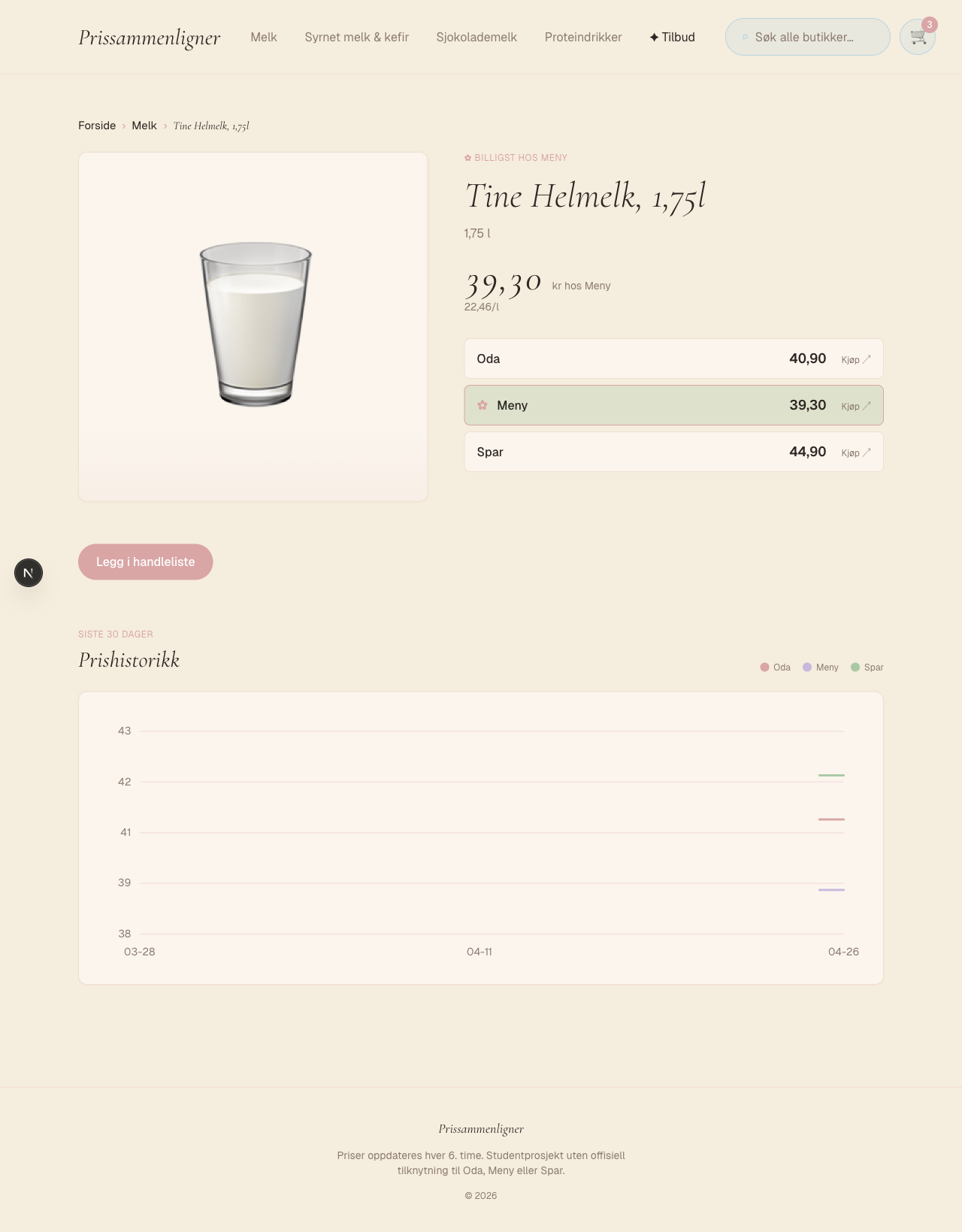
Three Python scrapers pull dairy prices from Oda, Meny and Spar every six hours. They run as a cron job in GitHub Actions, and each call writes one row to the price_snapshot table in Supabase Postgres. The frontend is built with the Next.js App Router and reads straight from Postgres without an ORM, so I have full control over the SQL. The user gets a category page with a price table across stores, a product page with 30 days of price history, search, and a shopping list in localStorage that totals the cost per store and picks the cheapest.
Decisions and reflection
Decisions I made
Raw SQL for full control over every query. An ORM like Prisma or Drizzle would have put an abstraction layer between me and the database. The AVANTAS job has made me used to SQL, and I wanted to see what actually hit the database. Every query lives as a template literal in app/page.js and app/kategori/[slug]/page.js, so I can paste it straight into the Supabase SQL Editor to debug.
Snapshot table gave me price history for free. price_snapshot stores one row per scrape. The simplest option would have been a single "current price" column on listing that gets overwritten on every scrape, but then I would have had no history to show. The chart on the product page is MIN(COALESCE(campaign_price, price)) grouped by day, nothing more.
Reading __NEXT_DATA__ straight out of the HTML. Oda is a Next.js app, so it was tempting to hit the _next/data/{BUILD_ID}/... endpoint directly. The problem is that BUILD_ID changes every time Oda deploys, and the scraper would break on every deploy. So I read <script id="__NEXT_DATA__"> out of the HTML and parse the JSON from there. More regex, but it survives deploys.
Regex normalization (scrapers/normalize.py) instead of fuzzy matching or LLM calls. "Tine Lettmelk 1 liter" at Meny and "Lettmelk 0,5% fett, 1l" at Oda need to match the same product row. I strip generic brands (tine, q, synnøve), stopwords (fett, melk), convert ml to liters, and swap commas for periods in numbers. Levenshtein distance or LLM calls felt too heavy for a hobby project. Edge cases exist, but the solution is deterministic and easy to debug.
Cron via GitHub Actions instead of Vercel Cron or Supabase Edge Functions. The serverless alternatives cost money or have free-tier limits I do not want to think about. GitHub Actions is free for public repos and runs Python without extra setup. The cron expression 0 */6 * * * lives in .github/workflows/scrape.yml.
What I learned
The scrapers are fragile. If Oda moves the __NEXT_DATA__ structure, or Meny and Spar change their category APIs, the scraper breaks until I fix the regex by hand. The stores have no open API, so HTML scraping was the only way in. There is not a single test on normalize.py, and that regex jungle is the part that most deserves them.
"Every six hours" sounds safe until something actually breaks. There is no retry logic in the httpx calls, so if Oda returns a 503 once that scraper silently skips a run. That is fine on a hobby project, but a production setup would need retries, a dead letter store for failed runs, and something that actually pages me when a run fails.
The snapshot model cost little to set up and gave us price history for free, but queries against price_snapshot get more expensive as the rows pile up. On the product page, the SQL has to find the latest snapshot per listing via a MAX(scraped_at) subquery, and it shows with revalidate = 0 where nothing is cached. I would still pick the snapshot approach, but next time I will run an index experiment before I have 50 000 rows to grind through.
Technology Stack
- Frontend:Next.js, React, Tailwind
- Database:Supabase, Postgres
- Scrapers:Python, httpx
- Infra:GitHub Actions, Vercel
Key Features
- Scrapers on a cron
Three Python scrapers pull dairy prices from Oda, Meny and Spar every six hours via GitHub Actions.
- Price history for free
Every scrape is stored as a row in price_snapshot, so the product page shows 30 days of history with no extra logic.
- Shopping list in the browser
A local cart in localStorage totals the cost per store and picks the cheapest.


